
Companion guide
Two passwords, two doors: Wi-Fi is not the admin panel
A companion guide to separate access to the network from access to your router’s settings.
Changing your Wi-Fi password is an important step. But it does not answer another question: who can change your router’s settings?
These are two different doors. The Wi-Fi password allows a device to join the wireless network. The admin panel’s credentials allow someone to manage the equipment — and, depending on the model and permissions, change DNS, update firmware and enable or disable features.
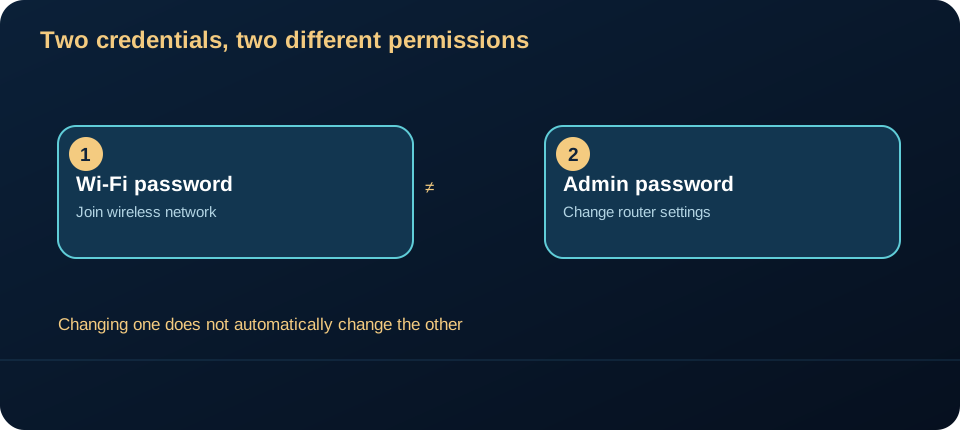
The FTC distinguishes these two passwords explicitly. Changing one does not automatically change the other. Think of the boundary as joining the network → managing the network: the second capability needs its own access control.
| Credential | What it permits | What changing it does not establish |
|---|---|---|
| Wi-Fi network password | A device can join that wireless network | Whether the administration account is protected |
| Administrative credential | An authorized person can change router settings | Whether every connected device or website is safe |
Identify things before changing them
The panel address varies. 192.168.0.1 is a common example, not a universal address. Check your model’s documentation or your provider’s guidance. Do not use random pages or test networks that are not yours.
Note the model, manufacturer and who manages the connection. If the equipment belongs to your provider, some settings may be locked or require support.
A safe review sequence
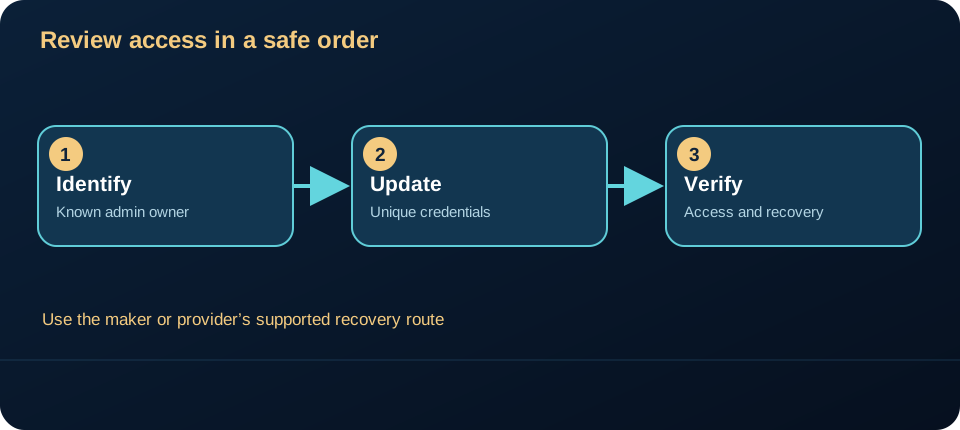
- Check the administrative credentials. If they are still the factory credentials, follow the manufacturer’s procedure to change them. Prefer a long, unique password, stored in a password manager.
- Check support and firmware. Confirm the version and official update path. Do not install files from unknown sources.
- Review remote administration. Understand whether it is enabled and why. Avoid leaving it exposed without a clear need and appropriate configuration.
- Understand WPS and UPnP before deciding. WPS means Wi-Fi Protected Setup; UPnP means Universal Plug and Play. Needs vary by situation. Check the documentation and review permissions instead of assuming one button solves everything.
- Recognize the connected devices. An unfamiliar name does not prove an intrusion. Identify the device and compare it with your home inventory.
The FTC recommends unique administrative credentials, current software and review of remote management, WPS and UPnP. Its advice describes general risk reduction, not a guarantee or a universal button sequence. Whether a feature is available, needed or safe to change depends on the equipment and network. The NIST consumer router guidance treats router security as a product lifecycle issue, which is why support and updates matter alongside a password.
Do not turn a review into an outage
A factory reset may erase settings required for the connection. In some cases, these include PPPoE authentication — Point-to-Point Protocol over Ethernet — or settings maintained by your provider.
Before resetting, export settings where the manufacturer allows it, confirm how to restore the connection and check with support. When in doubt, observe and document before changing anything.
A compact threat model
Asset: router settings, including network access and DNS configuration. Entry paths: a device already on the local network, an administrator session, or remote management if enabled. Failure mode: someone with administrative access can change settings even after the Wi-Fi password is rotated. That is why changing the network credential does not remediate exposure of the admin credential. The FTC explicitly distinguishes the two passwords and warns about remote management.
The defensive sequence is: confirm who administers the device; use a unique administrator credential; limit remote management to a demonstrated need; install supported updates; then verify the settings and keep a recovery path. Do not claim that a changed password proves no earlier compromise. If you see an unexpected DNS or remote-access setting, document it and seek trusted support before resetting equipment or entering credentials into an unfamiliar page. The NIST consumer-router profile frames device security as a set of outcomes rather than one password.
One action for today
Find out where your administrative password is and who is responsible for the router. That alone separates an assumption from useful information.
The aim is to make visible two doors that are often confused, without assuming an unknown device name proves unauthorized access or that one setting provides absolute protection.
This original companion article expands the Cyber Tech Wings video; it is not a transcript. Technical references: FTC home Wi-Fi guidance and NIST consumer router requirements. Checked 15 October 2026.